

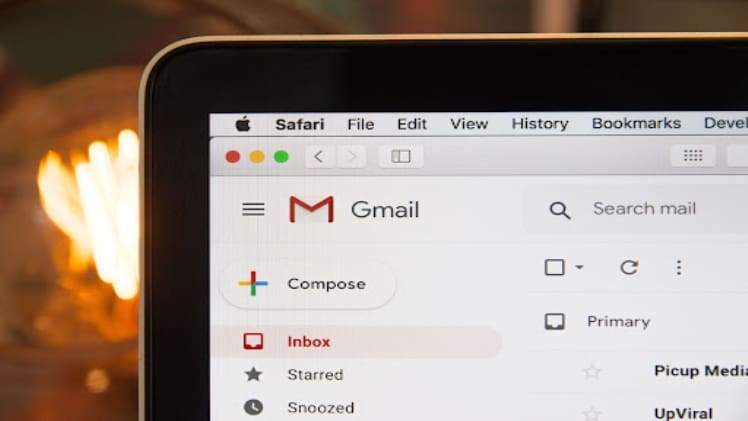
Hey, making emails that actually get opened and attract your target audience is a very tough task, that’s where designing your email comes in, all the major email marketing platforms have built-in design formats that you can use and customize more.
Here is a list of 7 best email design best practices.
Let’s dive in.
Know Your Audience
Understanding your audience is key to any marketing. Know if you’re targeting teens, professionals, or old-aged ones. Their age, interests, and tech abilities shape your emails.
For teens and young adults, keep emails short with visuals like GIFs, emojis, and bright colors. Optimize for mobile and make calls to action prominent buttons since these groups are constantly on phones.
For older adults, use a basic layout with clear section headers and an obvious unsubscribe link. Avoid flashy design elements. Keep emails simple.
Be authentic and compelling. Share real stories that create personal connections. Use “we” and share your experiences to build trust and rapport. Readers will appreciate your honesty and understanding.
Mobile-Optimized Design
With more people accessing email on their phones than ever before, it’s critical that your emails are mobile-friendly. Optimizing for mobile means using a simple, single-column layout, large text, and minimal clutter.
- Focus on one message or call to action per email. Trying to convey too many ideas in a small mobile screen will only confuse your readers.
- Keep your paragraphs and sentences short, around 2 to 3 sentences max.
- Choose a readable font, like Arial, Verdana or Georgia, and a minimum size of 12 to 14 points. Anything smaller can strain the eyes.
- Include images that are mobile-optimized, around 600 to 800 pixels wide. But use them sparingly, as images can take up valuable screen space.
- Test how your email renders on different mobile devices. Email services like MailChimp and Campaign Monitor offer “mobile previews” to see how your design adapts to smaller screens.
And when your emails are mobile-friendly, your readers are more likely to actually read them!
Clear and Actionable Call-to-Actions
As an email marketer, one of your top priorities should be encouraging your subscribers to take action. The best way to do this is by including prominent call-to-actions (CTAs) in your emails.
CTAs should be clear, and concise and direct readers to do something specific like “Learn More,” “Sign Up Now,” or “Shop Today.”
When designing your CTAs:
- Make them visually stand out using a high-contrast color like red, orange, or green. Readers’ eyes are naturally drawn to bright colors.
- Place them strategically near the top of your email or at the end of each section. Don’t bury them at the very bottom.
- Keep the text brief and action-oriented using an active verb like “click,” “learn,” “sign up” or “shop.” Say exactly what you want subscribers to do.
- Link each CTA directly to the next step. If you want readers to sign up for a webinar, link the CTA to the webinar registration page. Don’t make them hunt for it.
- Repeat your main CTA at least twice in the email. Place one CTA prominently at the top, reiterate it in the middle, and end with a final call to action. Repetition works!
- Make CTAs visually distinctive by using a larger font size, different font style, and plenty of white space around the text. You want them to jump off the page.
- Test different CTAs to see which ones resonate most with your audience. Try substituting “Sign Up” with “Register Now” or “Learn More” with “Tell Me More.” Small tweaks can lead to big differences in click-through rates.
Keep your CTAs consistent from email to email so subscribers know exactly what to expect and where to click.
Subject Line Optimization
The subject line is the first thing people see in their inbox and can determine whether or not they even open your email. Think of your subject line as a mini headline.
A few tips for crafting an effective subject line:
- Keep it short, around 6 to 8 words.
- Be personal and use the reader’s first name.
- Focus on benefits and solutions.
- Use power words to grab attention like “secrets,” “tips,” “tricks,” “boost,” “skyrocket,” etc.
- Ask a compelling question.
Keep testing! You never know what headline works the best.
Images and Video
Images and videos are key to making your emails visually engaging for readers. Relevant visuals catch attention and help reinforce your message, while also giving readers a break from blocks of text.
However, be mindful of load times on mobile—keep file sizes optimized so your email looks great and loads fast no matter the device.
Use authentic images
Stock photos can seem generic and staged. Whenever possible, incorporate custom images of your products, team, work, or customers.
Authentic images make a genuine connection and bring your brand to life.
If using stock photos, choose options that match your brand style and subject matter.
Videos for extra engagement
Short videos, GIFs, and video links are a great way to boost interaction. Keep videos under 30 seconds and at a high resolution. Host videos on your website or a service like YouTube or Wistia, then link to them in your email.
This ensures fast load times while still allowing you to track video views and engagement.
Keep file sizes small
Aim for image files under 1 MB and video files under 5 MB. Anything larger risks slowing load times and causing formatting issues, especially on mobile. Use a tool like Slazzer to optimize the images. Their AI-powered background removal tool lets you quickly replace image backgrounds with transparent background, ideal for product photos and social media images.
Place visuals strategically
Don’t just drop images and videos in haphazardly. Position them intentionally next to relevant content for maximum impact. For example, place product images next to text describing a promotion. Or, put a team photo next to a story highlighting their work. Strategic placement leads readers through your email message in a visual, compelling way.
Visuals are important trust me, no one likes to read a dumb just text only a marketing email.
Conclusion
So there you have it, 7 easy tips to instantly improve your email designs and boost your open and click-through rates. Small changes can make a big difference.
Happy Marketing!
